

Airport terminals, hotel lobbies, and busy cafés promise easy internet. Yet with secure public wifi in the balance, a simple connection isn’t always straightforward.
Travelers rely on quick web access for maps, bookings, or streaming. Poor security on public networks can quietly expose personal data, financial info, and more.
This guide shows exactly how travelers can stay safe with secure public wifi strategies, offering detailed steps, habits, and security tools for every stop along the way.
Connecting with Confidence Every Time You Join Public Wi-Fi
Anyone prioritizing secure public wifi gains peace of mind during travel. Starting right helps you avoid digital headaches before you even click ‘Connect.’
Use a checklist as you connect to public networks. Habitual steps, like confirming the official network name with venue staff each time, instantly lower the risk of scams.
Spotting Cloned Wi-Fi Networks in Real Life
Fake hotspots look legitimate. Picture someone saying, “Which café network?” while studying their laptop. Always check signage or ask directly which SSID to pick.
A cloned network may have extra symbols or numbers—like “HotelGuest_FREE123”—mimicking the real “HotelGuest.” Pause, check with staff, and only connect to confirmed networks.
If something feels odd or your device warns of security risks, avoid that signal. Jot down the correct network and keep it handy for quick, safe access during your visit.
Adopting Basic Security Steps Before You Connect
Disable automatic connections in your phone or laptop settings. Opting in deliberately means no device will join a rogue network without your direct approval.
Turn off sharing features such as file or printer sharing while traveling. This keeps your device from advertising itself to strangers on a shared network.
When possible, enable your device’s firewall. This works like a doorman, blocking unwanted access and putting another barrier between you and risky network activity.
| Network Type | Security Level | Best For | What to Do Next |
|---|---|---|---|
| Hotel Wi-Fi | Moderate | Email, browsing | Verify room access code with front desk each time |
| Café Hotspot | Low | Quick searches | Always ask staff for the official SSID before connecting |
| Airport Free Wi-Fi | Low | Checking flight info | Only use for brief tasks, avoid entering sensitive data |
| Private Residence Wi-Fi | High | Banking, work email | Get password and network details directly from your host |
| Public Library Wi-Fi | Moderate | Maps, basic browsing | Connect via guest login page only, log out when done |
Reinforcing Your Personal Security With Simple Digital Habits
Practicing good digital hygiene makes secure public wifi work in your favor all trip long, whether you’re in Chicago or Chiang Mai.
Setting habits ahead of time means you make safer choices automatically, just as you’d keep your wallet zipped while exploring a new city.
Managing Device Settings for Ongoing Protection
Keep your device’s operating system updated before you leave. Patch those vulnerabilities so hackers encounter locked doors rather than open windows.
Disable Bluetooth and AirDrop during travel. Only turn these features on when you need them for known connections, limiting any external entry points others could exploit.
- Turn off Wi-Fi auto-join for all public networks: This prevents accidental connections to potentially dangerous signals mimicking trusted hotspots—trust only your explicit choice, not automation.
- Use a device lock with PIN or biometric security: Even a brief unattended moment at an airport gate protects your data from prying eyes—locking immediately adds another layer of defense.
- Erase old profiles for public networks: Save your device from unknowingly reconnecting to past, unvetted Wi-Fi environments, keeping each connection purposefully chosen and reviewed.
- Enable VPN toggle shortcuts: Place your virtual private network app on your home screen so activating it before browsing becomes a simple reflex, just like buckling your seatbelt.
- Switch off file sharing and AirDrop: While convenient at home, these features can open unseen doors to your data on a public network—keep them off unless deliberately sharing with known contacts.
Every action tightens your security posture, making it that much harder for unintended sharing or opportunistic snooping to cause harm.
Choosing Secure Browsing and Apps for Critical Tasks
Always use HTTPS websites while on secure public wifi. Look for the padlock symbol, especially when entering passwords or making payments.
Avoid accessing banking apps or entering credit card information unless necessary. If an app isn’t essential for travel, wait for a private or protected network.
- Check URLs for “https” prefix: Only log into accounts on secure pages, as encrypted traffic shields your login credentials from nearby listeners with snooping tools.
- Use official apps, not browsers, for sensitive activities: Money transfers and emails are typically safer through native apps, which encrypt more data than web-based logins during transit.
- Favor two-factor authentication on your key accounts: This extra code blocks unauthorized logins, even if someone manages to grab your username and password from a compromised public network.
- Log out immediately after transactions: Clear out session data so prying eyes and malware get cut off rather than trailing you to your next online stop.
- Store passwords in a trusted manager app: Letting the software handle logins means you avoid typing details out in public and benefit from random, strong passwords every time you sign in.
Proper app habits turn secure public wifi into a tool, not a liability, as you explore new cities, airports, or cafes.
Pairing VPNs and Secure Public Wi-Fi for Double Layer Protection
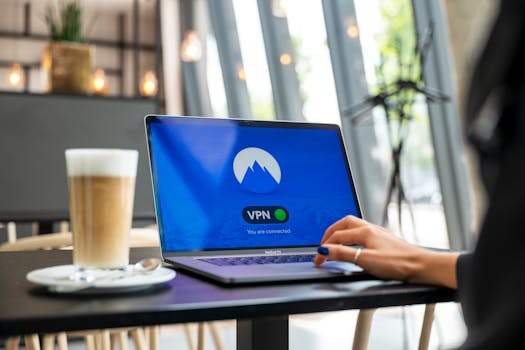
Running a VPN while connected to a public hotspot amplifies your digital safety, wrapping every piece of information in privacy before it leaves your device.
Think of a VPN as slipping your data through a locked mailbox instead of sending postcards across the open air, even on secure public wifi.
Building a Reliable VPN Routine
Before every login, tap the VPN app to connect. Delay even a few seconds before browsing or opening accounts to let the encrypted tunnel establish properly.
If the VPN connection ever drops in the background, exit sensitive apps and reconnect. The VPN should be reliable but never assumed—always check your connection status often.
Choose an automatic “kill switch” setting in your VPN app. If the VPN disconnects, your device immediately blocks all data transfer, cutting exposure short before anything leaks.
Evaluating Public Wi-Fi Needs Against VPN Strengths
If you’re checking social media or reading news, secure public wifi without a VPN can be enough if you avoid logging in. For banking, always use a VPN.
Some hotel Wi-Fi networks monitor usage heavily. Using a VPN makes your browsing hard to track, preventing hotel servers (and third parties) from seeing your destinations.
VPNs usually slow speeds slightly, but the tradeoff in protection is worth it for sensitive tasks—especially on public hotspots where eavesdroppers want credentials and private communications.
Choosing Authentication Methods for Stronger Wi-Fi Security
Going beyond passwords, securing public wifi with two-factor authentication and biometric options can lock down your accounts, raising barriers for outsiders right from the start.
Set up these methods at home before your trip; they require small extra steps for access, but add massive peace of mind if your main credentials ever leak.
Integrating Two-Factor on the Go
On each airline, hotel, or banking app, enable two-factor features that send you a code via SMS, app notification, or email whenever you log in from a new device.
Apps like Authy or Google Authenticator generate unique code tokens. Keep them handy; a quick swipe during login confirms your identity—a must when using secure public wifi abroad.
Never store your authentication backup codes in your email. Instead, jot them on paper in your wallet or save to an encrypted storage app, separate from your regular passwords.
- Activate two-factor for travel booking accounts: Stops hackers from hijacking flights or hotels, even if sign-in data is intercepted on open wifi.
- Add recovery phone numbers to all key services: In case you’re locked out while traveling, you can reset access from anywhere.
- Avoid saving login cookies on public devices: Clean browsers after each session to prevent others from piggybacking on your access.
- Enable biometric logins on travel apps: Quick fingerprints are unshareable and sidestep the risk of peeping at shoulder-level in a crowded lounge.
- Revoke unused app permissions: Streamlines your security profile and limits the avenues available to snoops leveraging public wifi leaks.
Piling up multiple authentication barriers means someone would need both your password and your unique verification method to get in, rendering intercepted data useless.
Preventing Credential Leaks with Neutral Browsing Tricks
Whenever you’re unsure about a network’s safety, swap to incognito or private browsing modes. This shields your cookies, search history, and session data until you return home base.
Secure public wifi risks shrink further if you minimize your online footprint. The less personal information you spread, the less tempting of a target you become.
Minimizing Personal Data Footprints in Transit
Browse as a ‘guest’ in Chrome or Safari when querying maps, schedules, or basic information in airports and train stations—leave nothing behind when you log out.
If accessing social media or e-commerce, log in only for the time needed. Immediately sign out and close browser tabs, limiting the session window for prying software or people near you.
Regularly clear your device’s history and cache before leaving each hotspot. On devices, this is a few taps in Privacy settings and wipes out traces if you misplace your phone during transit.
Bolstering Email and Cloud Account Defense During Your Trip
Email and cloud accounts streamline travel but represent valuable targets. Applying secure public wifi best practices helps keep those records yours and yours alone.
Before your trip, switch on alerts that notify you of sign-ins from new locations. These warnings let you immediately change your password or lock your account if anything unexpected occurs.
Staying Alert and Responding Quickly to Suspicious Activity
If you receive a login alert in a city you’ve never visited, act immediately. Change your password without delay, and revoke unfamiliar device access through account settings.
Inform your provider of suspicious activity using their customer service tools. A quick call or online chat helps lock potential intruders out fast before more damage can happen.
Maintain regular backup copies of vital travel documents and receipts in a secure, encrypted cloud folder. Should access be compromised, you won’t lose access to essential information on the road.
Strengthening Smart Devices While Exploring Unfamiliar Places
Wearables, tablets, and e-readers often connect to public networks too. Configure their settings so they don’t become silent security loopholes as you travel with secure public wifi in mind.
Review network permissions for every gadget before you leave. Disable ‘connect automatically’ on smartwatches and wireless headphones—only join trusted networks by hand each time.
- Set PIN codes on all secondary devices: Someone nabbing your e-reader in the hotel lobby still can’t access your files without the right code.
- Update smart device software pre-departure: New security patches block known hacks for tablets, fitness trackers, and other convenient travel gear.
- Forget unused networks on all devices: Old connections may let devices jump onto insecure hotspots. Scrub the list to trim unnecessary risk.
- Turn off location sharing in device settings: Fewer apps tracking your every movement means less data that can be intercepted at wifi points.
- Pair Bluetooth manually only: Only let smart gadgets connect when pairing is initiated by you in a secure, private setting—ignore prompts in busy places.
These precautions keep every travel companion—from your phone to your watch—aligned with secure public wifi principles each day you’re away.
Takeaways: Staying Safe and Enjoying Connectivity on the Road
The right precautions let travelers enjoy secure public wifi across every café and airport without falling prey to scams or leaks, keeping trip memories worry-free.
Prioritizing security habits and using practical tools like VPNs, authentication, and device restrictions mean relaxing into any public network with confidence—no matter the destination.
Make each secure public wifi connection part of your travel routine, locking in protection and letting you focus on adventures, not anxieties, every time you venture online.