
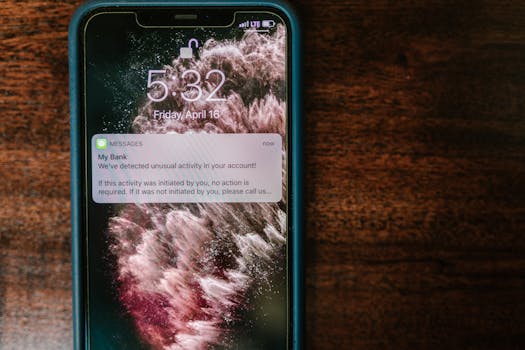

You glance at your phone, and another notification pops up — it’s not urgent, but you can’t ignore it completely. Managing this flood can feel overwhelming. Building a notification management system into daily routines helps keep digital interruptions at bay, while letting vital alerts through.
Notifications are easy to disregard until a genuinely important one slips through the cracks. They create a unique challenge: filter out the noise without risking what matters. Most people want peace of mind and a way to always catch the essentials.
This article guides you in designing a reliable notification management system. Expect specific rules, examples, comparison tables, and actionable lists. Let’s create your strategy to handle alerts efficiently.
Set Notification Boundaries for Control and Calm
Setting notification boundaries lets you decide which alerts reach you instantly and which are delayed. Personalizing your notification management system reduces digital stress and prevents missing crucial updates.
It’s like building a security gate for your digital life. Only the most essential notifications get past, ensuring peace of mind without the chaos of constant interruption.
Create Time Windows for Uninterrupted Focus
Reserve specific blocks where all but emergency notifications are silenced. For example, during deep work or meetings, set devices to only allow urgent contacts to break through.
People using this tactic say, “Between 9 and 11 a.m., I won’t check anything unless my family calls twice.” Copy this script to maintain workflow without anxiety.
This boundary lets you dive deep, noticing productivity improvements by the end of each focused window. You’ll gain clarity and miss fewer significant alerts as your system refines.
Apply the Do Not Disturb Rule for Urgent Exceptions
Activate the Do Not Disturb feature, but add select contacts or apps to an exceptions list. This guarantees your notification management system only pushes vital alerts through.
Examples: Add “Boss” or “School Nurse” as exceptions so truly urgent messages bypass silencing. This practical step ensures you balance responsiveness with mental calm.
People often notice a lighter mood and sharper focus after tweaking these settings. Adjust your exception list monthly to match changing priorities, keeping the approach flexible.
| Type of Notification | Urgency Level | Best Handling Method | Takeaway |
|---|---|---|---|
| Work Email | Medium | Snooze, batch-check twice daily | Prevents overload, protects focus |
| Family Call | High | Allow always, even during Do Not Disturb | Ensures emergencies aren’t missed |
| Social Media | Low | Mute, check manually | Reduces distractions, less noise |
| Bank Alert | High | Mark as VIP; use persistent banners | Immediate action when needed |
| Calendar Reminder | Medium | Set alert time based on event | Prevents missed meetings |
Sort and Prioritize Notifications for Better Decisions
Sorting notifications maximizes your notification management system by reducing clutter and elevating essential alerts. Effective prioritization helps you respond only to what truly needs attention.
Tag each type of notification and route it by urgency. This makes on-the-spot choices easier and eliminates reacting to every buzz or ping without losing track of priority messages.
Label Notifications by Need First
Create categories like “Immediate,” “Today,” and “Later.” Activate folders or filters in your system, organizing alerts accordingly and reviewing at set intervals for efficiency.
This approach builds awareness about what matters. Professionals report fewer misses and greater responsiveness when using color-coding or smart folders inside their notification management system.
- Review every app weekly, deciding which ones truly need to interrupt you. This shapes a tailored alert funnel and keeps critical communications at the top of your mind.
- Designate only genuine VIPs (family, boss, childcare provider) for instant notifications. This prioritization step shields your attention from over-notification.
- Turn off promotional alerts in email and shopping apps immediately after receiving one you don’t need. Eliminates noise and instant regret for missing discounts isn’t a risk.
- Use custom notification sounds for different types of alerts, like a unique beep for security alarms. Trains your brain to instantly decode urgency.
- Batch check nonessential notifications three times daily. Choose set times, clear everything, and get back to deep work without lingering doubts.
Apply these steps consistently to notice fewer interruptions, smoother workflow, and peace in your notification management system.
Customize Notification Channels to Suit Your Day
Adjust where and when each type of notification appears: phone, smartwatch, or computer. Channel-specific tools keep your notification management system balanced for your lifestyle.
Move calendar and banking alerts to devices you check less frequently, but keep calls and messages visible at all times. This lets each channel serve its optimal purpose.
- Send direct messages to your smartwatch for easy, hands-off filtering of urgent notices. Glance discreetly and respond only if it’s a priority without fumbling for your phone.
- Route marketing emails only to your desktop, not your phone. Scanning bulk mail in batches saves mobile screen space and reduces stress over deals outside business hours.
- Program recurring work reminders to vanish after the event is over. Less digital clutter keeps your device’s system lean and prevents “ghost” notifications from confusion.
- Set up keyword-based filters to alert you only when messages contain specific words. This pin-points high-priority situations, especially in collaboration or emergency environments.
- Keep meditation or personal apps silent except during off-hours, letting you focus during productive times. Sync their alerts with your real downtime to reinforce healthy boundaries.
As you refine these notification management system steps, your technology starts working for you—quiet but alert, responsive when it truly counts.
Build a Notification Review Ritual to Prevent Misses
Implementing a consistent review ritual gives your notification management system an extra layer of reliability. Spend five minutes twice a day reviewing queued notifications to safeguard important info.
This habit ensures you catch missed alerts without reintroducing chaos. Rituals turn review into a dependable micro-habit that protects you from notification FOMO.
Morning Review for Actionable Alerts
Start your day by scanning all overnight notifications. Transfer actionable items—such as calendar updates or payment reminders—immediately to your to-do list or calendar.
Say aloud, “Anything urgent or just FYI?” This voice check-in acts like a filter, clearing clutter and surfacing priority alerts for the day ahead.
Over time, you notice fewer overlooked messages because the morning review becomes second nature within your notification management system routine.
Evening Sweep to Reset for Tomorrow
Before winding down, review the day’s remaining notifications. Archive, respond to, or snooze anything unfinished. This prevents backlog and mental carryover.
For example: “Delete coupons, follow up on group chat, flag bill due.” These small steps keep your evening peaceful and your system ready for the next day’s priorities.
Maintaining this ritual ensures your notification management system closes every loop, eliminating surprises the next morning.
Conclusion: Keep Important Alerts Timely and Your Mind Clear
You’ve seen how the right notification management system puts you in control. Set boundaries, sort alerts, and review consistently to avoid missing critical updates.
Maintaining tailored systems helps you stay available for what’s truly important while reducing stress. Your devices serve your needs, instead of demanding constant attention.
Keep evolving your notification management system as your needs change, updating lists, rules, and review times. Peaceful focus and reliable response are now within your grasp.