

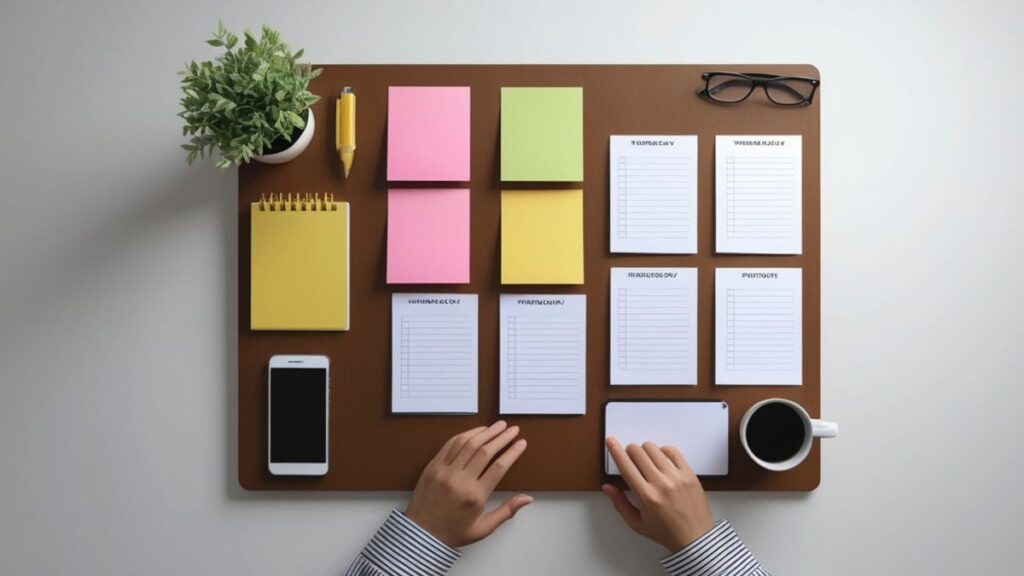
Ideas sometimes appear in the middle of a meeting, during a run, or while making coffee. You catch them or they’re gone. A quick notes system turns chaos into captured clarity.
Jotting down important thoughts keeps projects and insights from slipping away. With smart strategies, anyone can create structure that matches their real daily routine and thinking style.
This article shares practical, easy-to-adopt examples so you can build a quick notes system that actually gets used, day after day. Let’s get started.
Identify Triggers That Set Your Quick Notes System in Motion
Recognizing the right moments to capture ideas anchors a quick notes system into your habits. Repetition cements reliability when life feels unpredictable.
Small, consistent triggers—such as pausing after meetings or before bed—make jotting notes an automatic reflex, not a mental burden.
Create Context Cues for Reliable Capture
Pair a physical action, like placing your phone next to your laptop, with starting your written notes. This tells your brain, “I capture here.” Results become automatic.
If you check your calendar each morning, add a 15-second pause for reviewing your last note. Integrating this step increases recall every day.
Pocket-size notepads by your favorite chair or a digital widget on your home screen signal it’s time to use your quick notes system, not just think about it.
Use Environment as a Gentle Prompt
Lighting, background music, or specific desktop wallpapers cue your brain for idea capture. Adjusting your workspace can make your quick notes system a daily habit.
Choose a specific pen color or note icon for capturing inspiration. Visual signals help orient your mind, especially when bouncing between tasks.
Switch to airplane mode before meetings so incoming messages don’t steal your attention. Distraction-free settings increase your quick notes system’s reliability.
| Trigger Type | Example Action | Frequency | Next Step to Try |
|---|---|---|---|
| Physical Cue | Keep a notebook on your desk | Daily | Place one on each work surface |
| Digital Reminder | Phone alarm to review notes | Twice a day | Set custom tones for urgency |
| Routine Check-in | Post-meeting summary jot | After every meeting | Add a note review to calendar invites |
| Visual Trigger | Special sticky color for ideas | Weekly refresh | Rotate colors with categories |
| Environmental Shift | Adjust lighting at note time | Every evening | Pair this with a short reflection |
Embed Micro-Habits So Taking Notes Feels Effortless With Each Use
By linking your quick notes system to micro-habits, you simplify the act of capturing ideas. This process reprograms how your mind reacts to flashes of inspiration.
Minute-long rituals—like sitting still while writing or speaking your idea aloud—lock your system into muscle memory for reliability even during a hectic day.
Bundle Note Creation With Existing Routines
Stack your note-taking on top of something familiar, such as sipping coffee. If you always review emails at 10am, quickly jot your top thought before you start.
- Pause purposely before starting work—spend 20 seconds asking, “Is there anything worth jotting?” Even noting nothing builds routine reliability.
- Pick a regular spot—like a favorite chair—for note review. Tying locations to review turns reflection into a sensory experience instead of a digital chore.
- Speak notes to yourself, then write them down. Hearing your words first lets fuzzy ideas solidify before they hit your quick notes system.
- Set a timer at lunch to prompt a scan of your morning notes. This quick check-in bridges the gap between scatterbrained mornings and focused afternoons.
- Right before closing your laptop, add a single closing thought for the day. This primes your brain to capture inspiration around the clock.
When you distribute these cues in your day, your quick notes system starts running on autopilot and collects more value every time.
Customize Your Prompts to Match Your Workflow
Choose cues that fit your real routine, not what’s ideal. If you commute, use voice memos. If you enjoy visuals, snap quick photos to supplement written notes.
- Place sticky notes on your fridge with a unique question: “Spark today?” Looking at it prompts a quick mental scan for new ideas before breakfast.
- Keep a dedicated digital folder for fragmentary ideas, not only long reflections. Fast capture, no filter, and sort later—lowering resistance fuels your quick notes system’s power.
- Try a recurring phone reminder tagged “Note Now.” Adjust time as needed so it happens during a real transition, like after a call or right before dinner.
- Test a micro-reward—such as checking a box or crossing off a task—immediately after taking a note. Tangible progress helps reinforce the habit loop.
- Use a shorthand symbol (like an asterisk) in digital documents when something is worth capturing. It marks ideas for later review and keeps your quick notes system streamlined.
Tuning your cues lets your quick notes system fit who you are, not just what a book says should work.
Apply Simple Structures and Regular Reviews to Upgrade Your Notes for Action
Adopting clear frameworks—instead of scattered scraps—brings coherence to your quick notes system. Reviewing regularly adds another level of utility you can feel instantly.
Visible order turns fragments into a resource, not a forgotten pile. You’ll actually use your notes when every entry feels findable and actionable.
Sort by Context or Project, Not Just Date
Group notes according to what you’ll do next—by project, topic, or even emotional urgency. One folder could say “Next Week Plans,” another “Backlog for Later.”
If you jot ideas for three clients, label each one by name. Color coding or digital tags help cross-reference; your quick notes system becomes a targeted launchpad, not a dump zone.
At day’s end, move stray notes into their proper groups: “Follow Up,” “Someday,” “Needs Clarifying.” This tidy workflow keeps you energized and focused during every future review.
Use Weekly Reviews as a Built-In Quality Filter
Block 10 minutes each Friday to scan your notes. Cross out anything already handled. Spotlight big wins or patterns—if one topic keeps cropping up, assign it as a new project.
For digital systems, run a keyword search for “?” or a chosen symbol. These highlight unresolved thoughts. Scheduling a brief review session ensures your quick notes system never gets stale.
Sync review time with something fun—a favorite playlist, a tasty snack. Positive associations disarm the dread of organizing, and your notes become both useful and enjoyable to revisit.
Reach for Your Quick Notes System and Make Every Insight Count
Tapping into the quick notes system transforms scattered inspiration into accessible, actionable knowledge. Structure, habit, and routine cues ensure nothing slips away or gets buried.
An effective quick notes system adapts to your environment, matches your unique workflow, and fits smoothly into your routine. Each piece builds value and strengthens your creative memory.
Set your next trigger, try a new micro-habit, and review with purpose—your quick notes system will quietly become your most powerful tool for lasting results.